
Sending an enquiry or chatting
How to send a message to a local business through its website form, use the website chat, or call, WhatsApp and get directions in one tap.
This page is for customers of businesses that have their website on vadodara.biz. It explains the ways to get in touch through the website: the message form, the chat, and the Call, WhatsApp and Directions buttons. Each one takes less than a minute.
Send a message with the form
Many pages have a form, often called "Send us a message".
- Type your Name.
- Type your Phone / WhatsApp number, if the form asks for it.
- Type your Email if you prefer an email reply. It is optional when you give a phone number.
- Write your Message: what you need, for which day and for how many people. The more detail, the faster the business can answer.
- Tap Send (the business may have given the button another name).
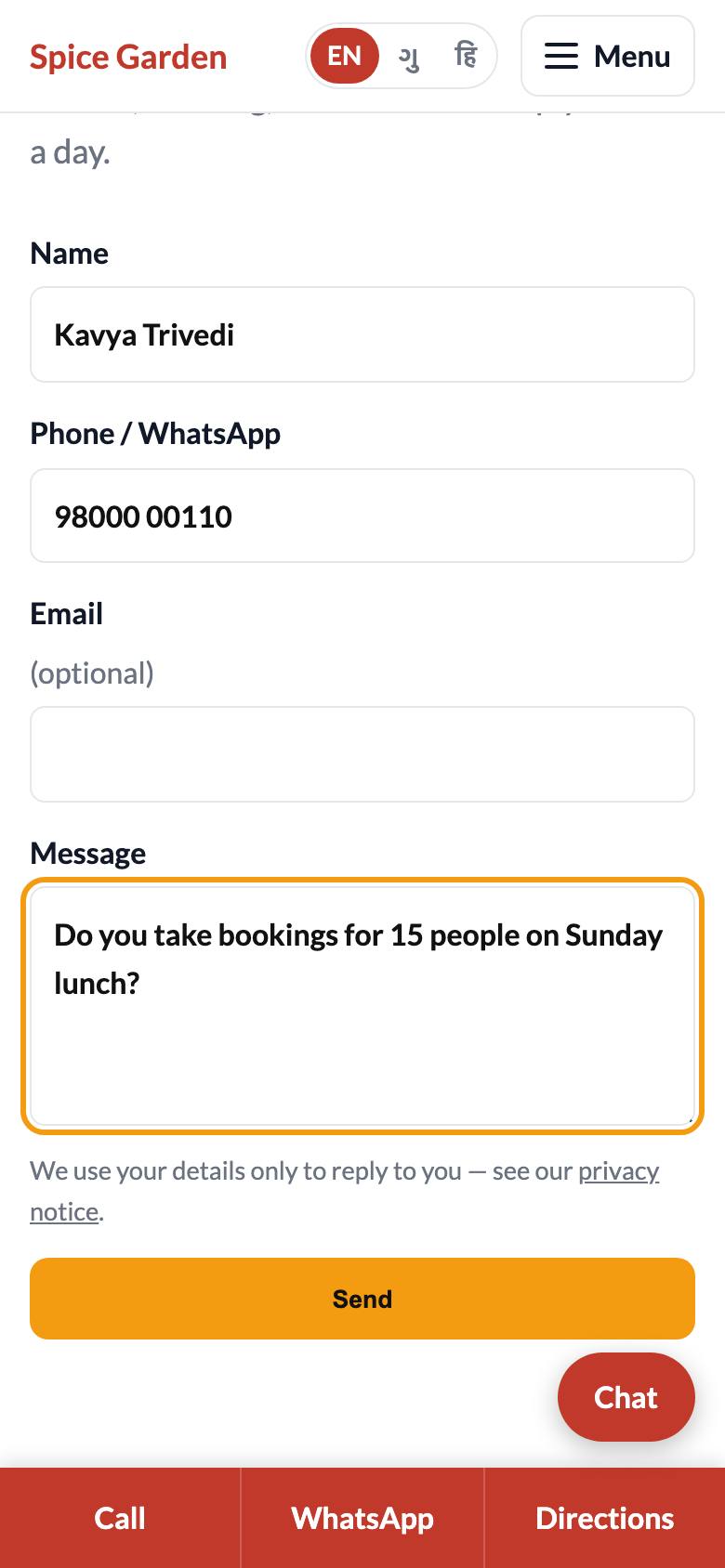
A few rules:
- Your name needs at least 2 characters and your message at least 5.
- You must give a phone number or an email, otherwise the form says "Please give a phone number or email so we can reply".
- The note under the form says: "We use your details only to reply to you — see our privacy notice." Tap privacy notice to read what the business does with your details.
- If many messages are sent from the same connection within an hour, the form says "Too many messages — please try again later or call us." Wait a while or call the business.
What happens next
After sending, you see a thank-you message, for example "Thank you! We will get back to you soon." Your message goes straight to the business, which gets an alert. They usually reply by phone, WhatsApp or email, using the details you gave. If it is urgent, call them as well.
Chat on the website
If the business has the chat turned on, you see a Chat button at the bottom right of the screen.
- Tap Chat. A small window opens with a greeting from the business.
- Type your question in Type a message… and tap Send.
- Wait for the answer in the same window. Keep the page open.
- Tap Close (or the ×) when you are done.
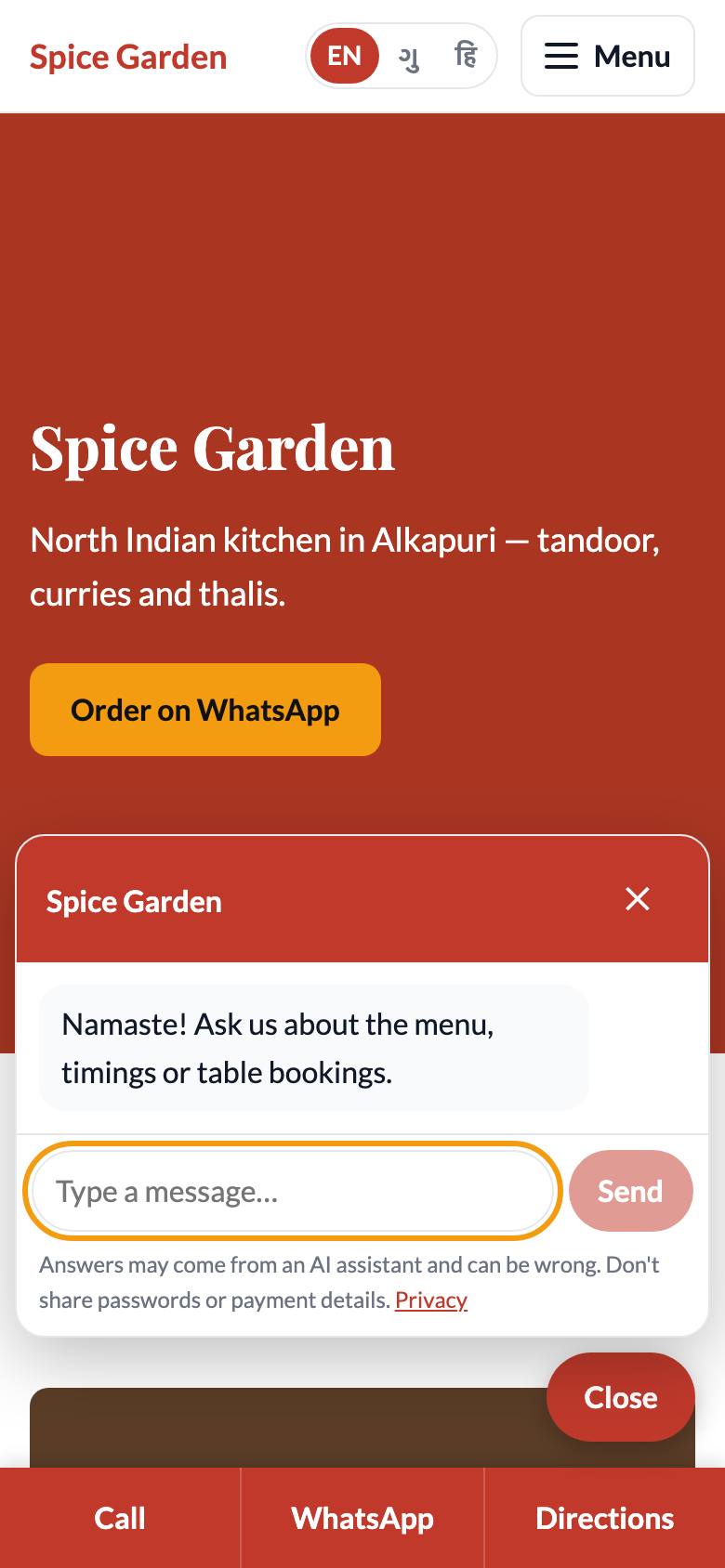
Good to know about the chat:
- An AI assistant may answer first. Many businesses let an AI answer common questions (timings, menu, parking) from their own information. It answers in English, Gujarati or Hindi, whichever you write in. It can be wrong, so check important details such as prices directly with the business.
- A person may reply. If the AI cannot help, or the business does not use AI, you see a note that the team will reply. Someone from the business then answers in the same window.
- Leave your name and number if you want a call back. The assistant may ask for it; the business then gets your details and contacts you.
- Keep the page open to see replies as they come in. If you come back later on the same phone and browser, tap Chat again to see the conversation. On another phone or browser the old chat is not there.
- Do not share passwords, card numbers, OTPs or other payment details in the chat. A real business will never ask for them here.
- There is a limit on very fast or very many messages. If you see "Please wait a moment" or "Too many chats — please call or WhatsApp us instead", wait or use the buttons below.
Call, WhatsApp or get directions in one tap
On a phone, a bar at the bottom of every page has three buttons:
- Call opens your phone's dialler with the business's number.
- WhatsApp opens WhatsApp with a chat to the business.
- Directions opens your maps app with the way to the business.
On a computer, you may see a round WhatsApp button at the bottom of the page instead. Many pages also show the address, phone number and opening hours, often with an "open now" badge.