Listing your business on vadodara.biz
Show your business on the free list at vadodara.biz/businesses with your logo, type, city and one line, or take it off again at any time.
The page https://vadodara.biz/businesses lists Vadodara businesses that run their website on vadodara.biz. Being listed is free and your choice: nothing is shown unless you tick the box. It gives people one more way to find you, and one more link to your website. This guide is for owners. It takes 2 minutes in the website editor.
What the listing shows
Each listed business gets a small card with:
- your logo (or the first letter of your name if you have no logo);
- your business name;
- your type of business, from Type of business in your business details, for example "Restaurant / eatery";
- your city, from the Contact tab;
- your one line for the listing, if you wrote one;
- a link to your website. If you have your own domain name, the link goes there.
Businesses are sorted by name. When businesses of more than one type are listed, buttons at the top let visitors show only one type, for example only salons.
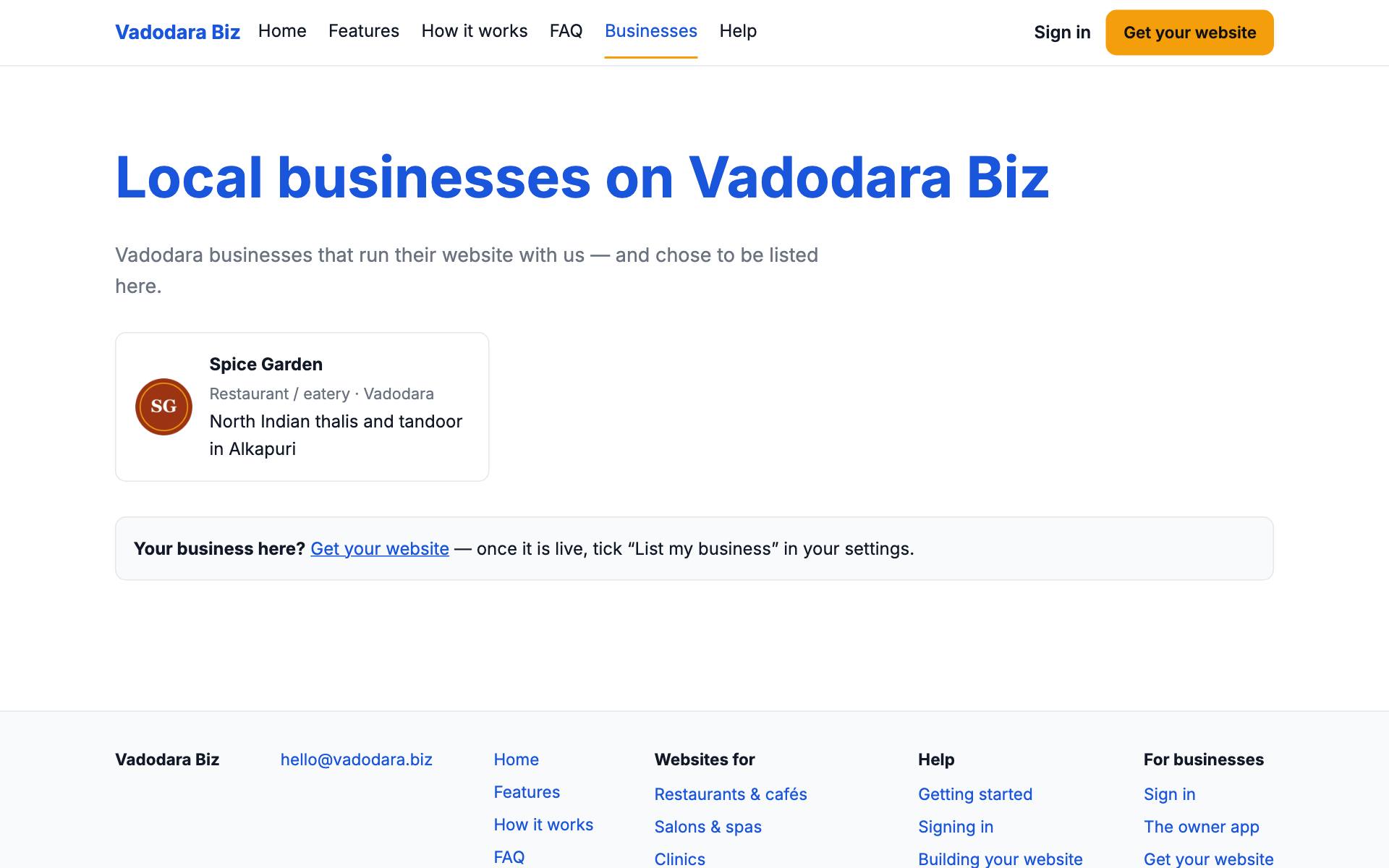
Nothing else from your business is shown here: no phone number, address, leads or opening hours. Visitors who want those open your website.
Add your business to the list
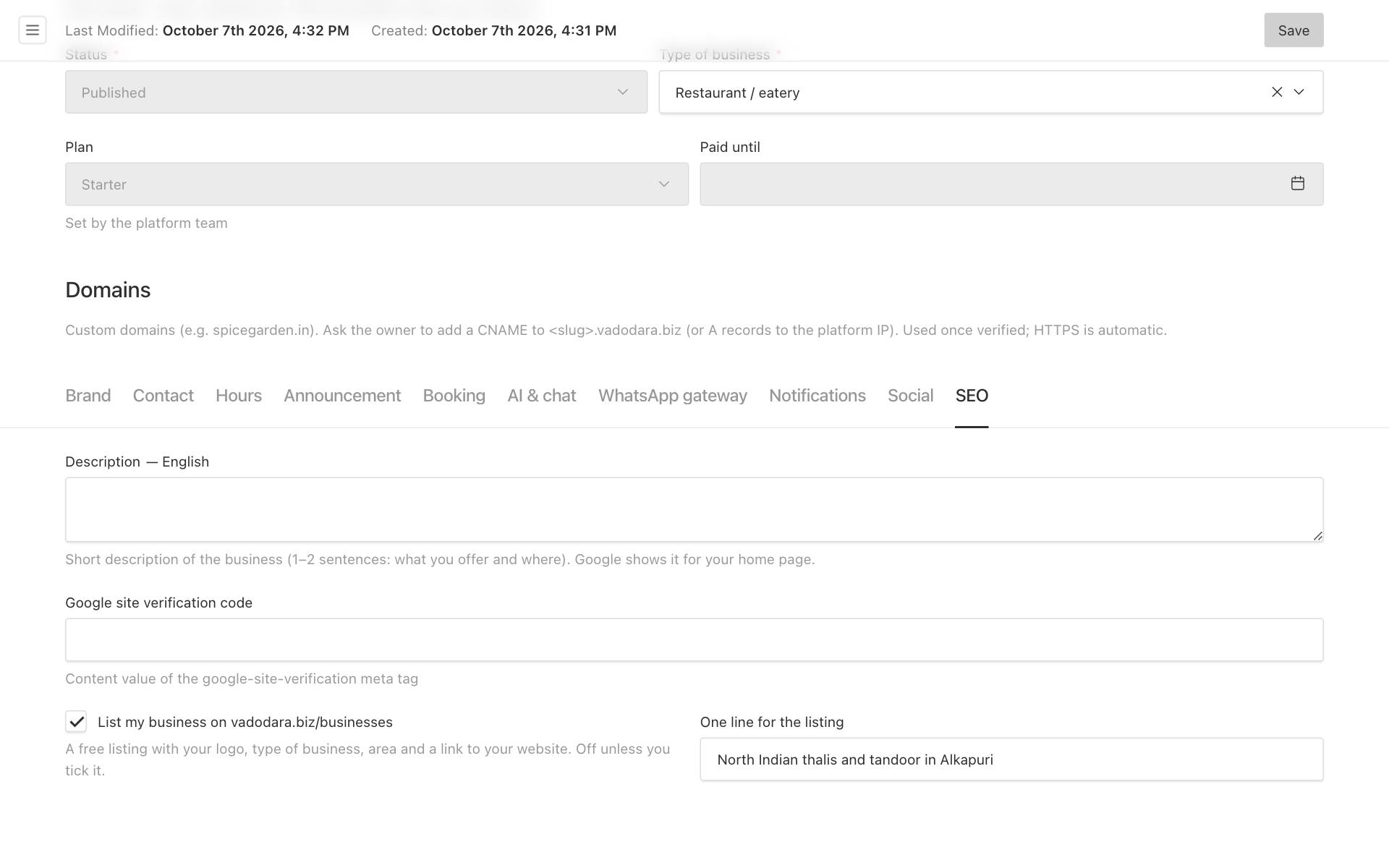
- Open the website editor at https://your-business.vadodara.biz/admin and sign in.
- Under Platform, click Businesses, then your business.
- Click the SEO tab.
- Tick List my business on vadodara.biz/businesses.
- In One line for the listing, write what you offer and where, in up to 120 characters. For example:
North Indian thalis and tandoor in Alkapuri. This box only appears once the tick is set. - Click Save.
Tip: Check your Type of business, your City and your logo before you tick the box. They are what people see first. See Business details, opening hours and announcements and Logo, favicon, colours and fonts.
When your business appears
Your business is listed only when both are true:
- the box is ticked, and
- your business is Published. While it is in Draft (coming soon) or Suspended, it is not listed, even with the tick.
The list updates by itself, usually within a few minutes of clicking Save. Reload https://vadodara.biz/businesses to check.
The menu of vadodara.biz shows a Businesses link as soon as at least one business is listed. The list page is also given to Google in the vadodara.biz sitemap.
Change your line or leave the list
- Change the line: edit One line for the listing on the SEO tab and click Save.
- Leave the list: untick List my business on vadodara.biz/businesses and click Save. Your card is removed within a few minutes. Your own website is not affected.
Good to know: The line is the same in every language; it is not translated.